
web_19.md 4.5 KB
Vue.js: Работа с Яндекс картами
Для работы с яндекс картами будем использовать пакет vue-yandex-maps
Установка пакета
npm install vue-yandex-maps
Подключение
В src/main.js добавьте импорт и использование пакета:
import './assets/main.css'

import { createApp } from 'vue'
import { createPinia } from 'pinia'
import { createYmaps } from 'vue-yandex-maps'
//^^^^^^^^^^^^^^^^^^^^^^^^^^^^^^^^^^^^^^^^^^^

import App from './App.vue'
import router from './router'

const app = createApp(App)

app.use(createPinia())
app.use(router)

app.use(createYmaps({apikey: 'your-api-key'}))
//^^^^^^^^^^^^^^^^^^^^^^^^^^^^^^^^^^^^^^^^^^^^

app.mount('#app')
Для работы с яндекс-картами нужно получить api key.
Перейдите в кабинет разработчика Яндекс
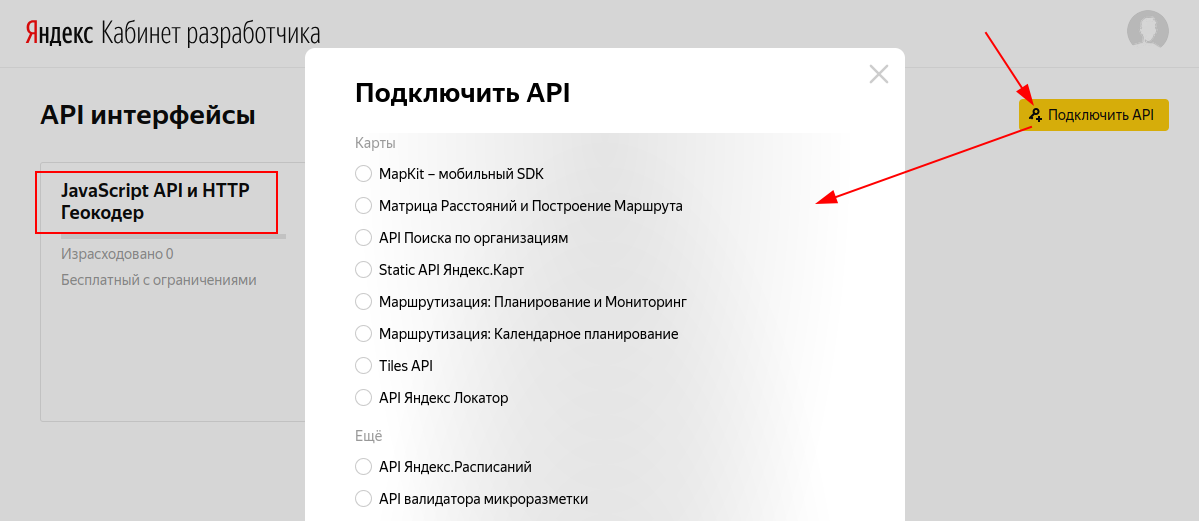
- кликните кнопку "Подключить АПИ"
- выберите из списка "JavaScript API и HTTP Геокодер" (у меня он уже выбран, поэтому в списке его нет) и нажмите продолжить. Насколько я помню там нужны ещё какие-то действия - пройдите до конца
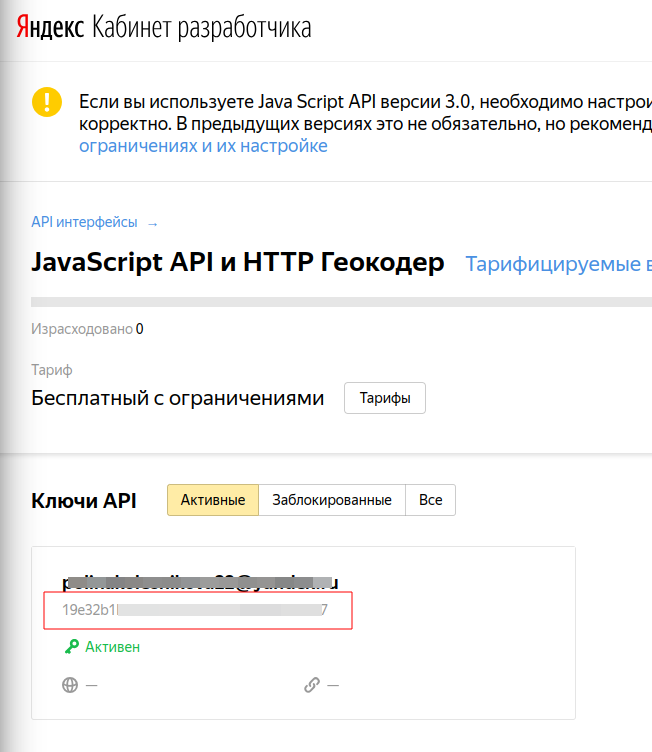
После подключения "API интерфейса" скопируйте ключ:
Начало работы
Для запуска вам потребуется:
- Настроить карту
- Прописать
locationсcenter/zoomвsettings - Указать компоненты
<yandex-map-default-features-layer />(нужен для маркеров и пр.) и<yandex-map-default-scheme-layer />в теле<yandex-map /> Опционально указать width/height у
<yandex-map />(по умолчанию:100%)<script setup> import { ref } from 'vue' import { YandexMap, YandexMapDefaultSchemeLayer } from 'vue-yandex-maps' const map = ref(null) </script> <template> <yandex-map v-model="map" :settings="{ location: { center: [37.617644, 55.755819], zoom: 9, }, }" width="100%" height="100vh" > <yandex-map-default-scheme-layer/> </yandex-map> </template>
Отображение своих маркеров на карте
Для добавления маркеров на карту необходимо добавить компоненты <yandex-map-marker>. В компоненте есть примеры
Например, отображение маркеров со своим изображением:
import {
    YandexMap,
    YandexMapDefaultSchemeLayer,
    YandexMapMarker,
    YandexMapDefaultFeaturesLayer
} from 'vue-yandex-maps'

...

const cars = [
{
    "lat": 56.639053,
    "lon": 47.893739,
    "model": "Лада Гранта",
    "number": "A100AA12",
    "tarif": 8.99,
    "km_left": 600,
    "kreslo": true,
    "kpp": "manual",
    "photo": "granta.webp"
},
...
]
</script>

<template>
    <yandex-map
        v-model="map"
        :settings="{
            location: {
                center: [47.889641, 56.639053],
                zoom: 16,
            },
        }"
        width="100%"
        height="100vh"
    >
        <yandex-map-default-scheme-layer/>
        <yandex-map-default-features-layer/>
        <yandex-map-marker
            v-for="(car, index) in cars"
            :key="index"
            position="top-center left-center"
            :settings="{ coordinates: [car.lon, car.lat] }"
        >
            <img
                src="/src/assets/car.png"
                width="48px" height="48px"
                @click="showCar"
            />
        </yandex-map-marker>
    </yandex-map>
</template>
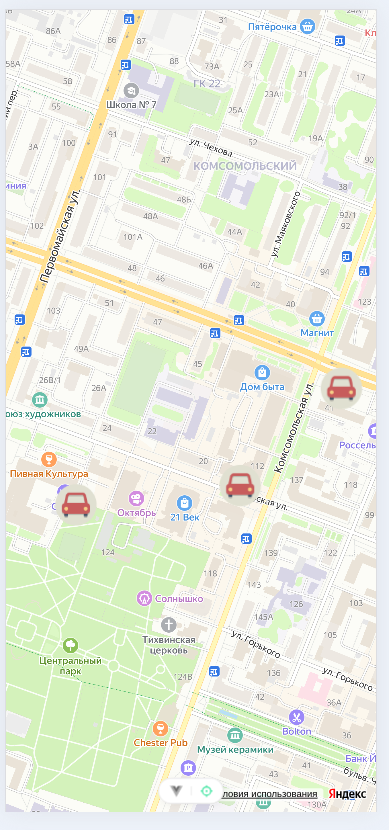
Обратите внимание:
- должен быть объявлен компонент
<yandex-map-default-features-layer/> - у маркера должен быть аттрибут
settings, в котором заданы координаты маркера